A calmer way to track job applications
What to record for each job application, how to move roles through clear stages, when to follow up, and a weekly review that keeps your search calm.
A job search can quickly turn into a blur of tabs, emails and half-remembered conversations. Which roles did you apply to last week? Who said they’d get back to you? When was that second interview again?
You don’t need a complicated system to stay on top of it. You need one place for everything, a few clear stages, and a short weekly review. Here’s how to set that up.
Keep everything in one place
The single most useful thing you can do is keep every application in one list, rather than spread across your inbox, your notes app and your memory. Whether it’s a spreadsheet, a tracker app or a notebook, one list means nothing slips through the cracks.
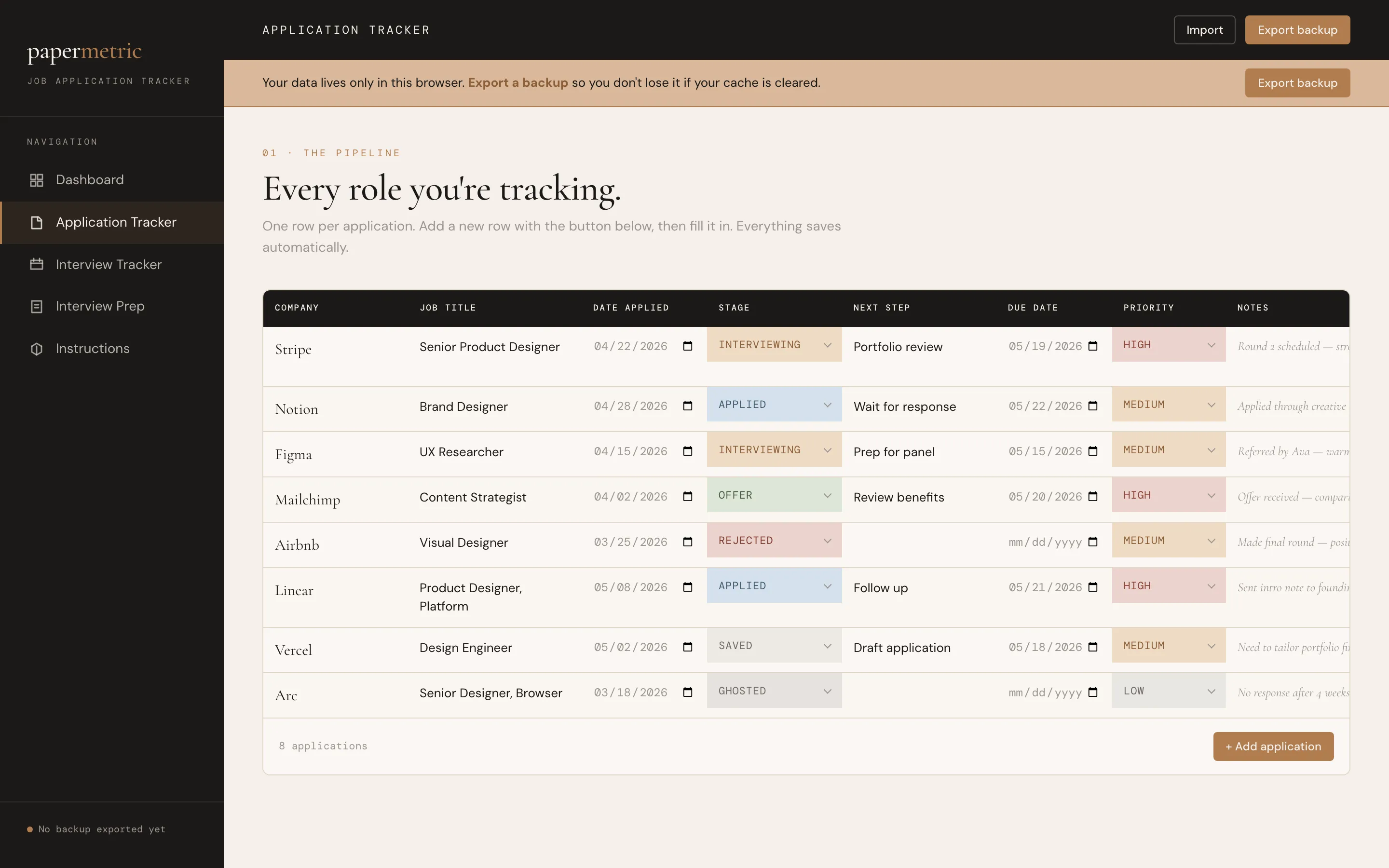
What to record for each application
For each role, a handful of details is enough:
- Company and role title
- Link to the job posting. Postings often disappear once they close, so save a copy of the description too.
- Date you applied
- Stage (more on stages below)
- Next step and its due date, for example “Follow up with the recruiter, Friday”
- Contact: the recruiter or hiring manager, if you have a name
- Priority: how much you want this one
- Notes: salary range, anything from conversations, why the role appeals to you
The next step with a date is the most important field. It turns a list of applications into a to-do list that tells you what to do today.
Move roles through clear stages
Give every application a stage, so you can see your whole search at a glance:
- Saved: a role you’re interested in but haven’t applied to yet
- Applied
- Interviewing
- Offer
- Rejected
- Ghosted: no response after a reasonable wait
- Closed: you withdrew, or the role was filled
Counting the roles in each stage is surprisingly calming. It shows that your search is moving, even when it doesn’t feel like it.
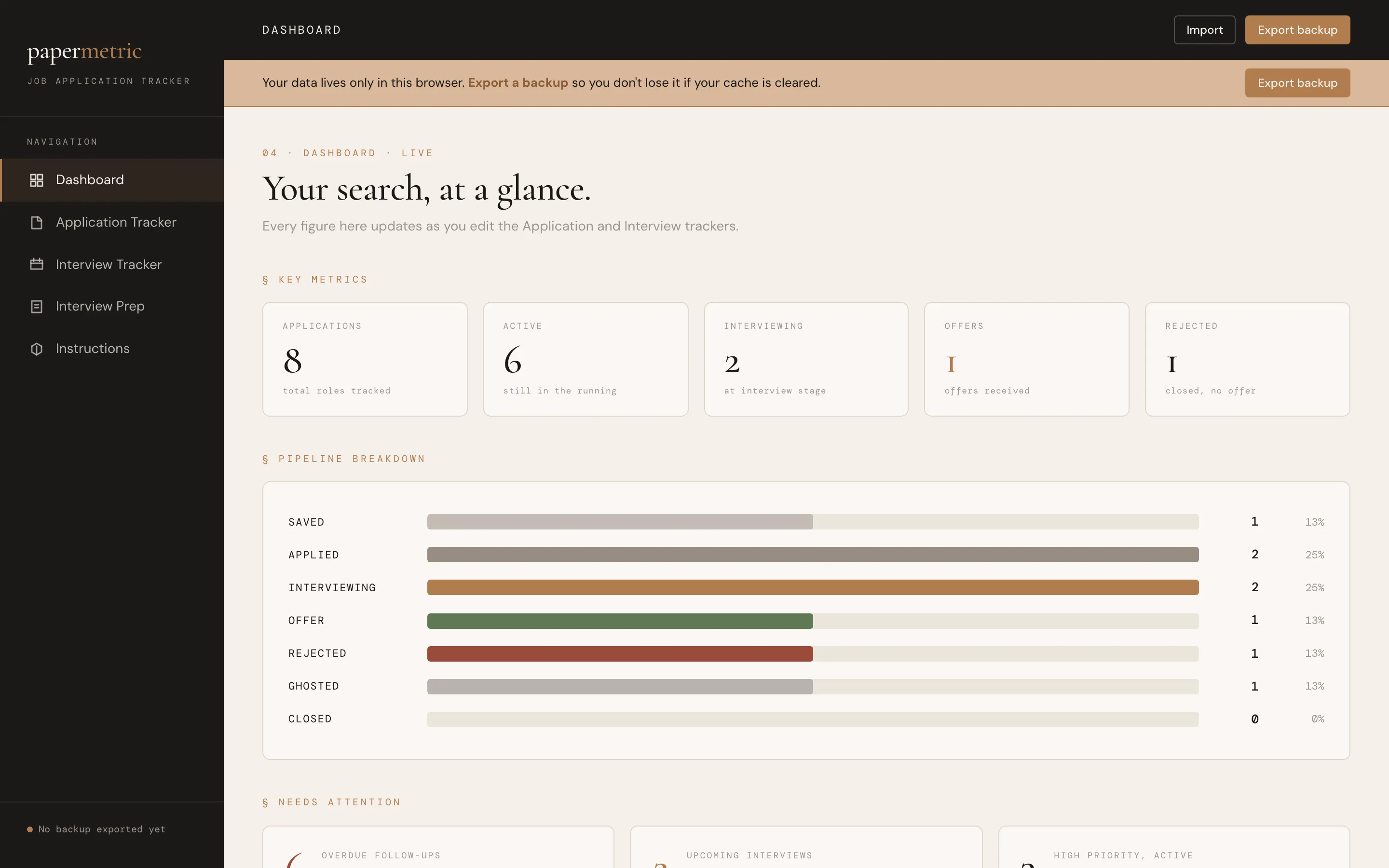
A pipeline view shows how many roles sit at each stage.
Follow up without overthinking it
Following up is part of the process, not a nuisance. Some common rules of thumb:
- If you’ve heard nothing about a week or two after applying, a short, polite note to the recruiter or hiring contact is reasonable.
- After an interview, send a thank-you note within a day, mentioning something specific you discussed.
- If a company said they’d reply by a certain date and that date passes, it’s fine to check in a day or two later.
Put each follow-up in your tracker as the next step, with its date. Then you never have to remember; you just check the list.
Prepare for each interview
When a role reaches the interview stage, give it a little prep page of its own:
- Company research: what they do, recent news, why you want to work there
- Talking points: two or three stories from your experience, structured as STAR (Situation, Task, Action, Result)
- Questions to ask them
- Follow-up: who you met and when you thanked them
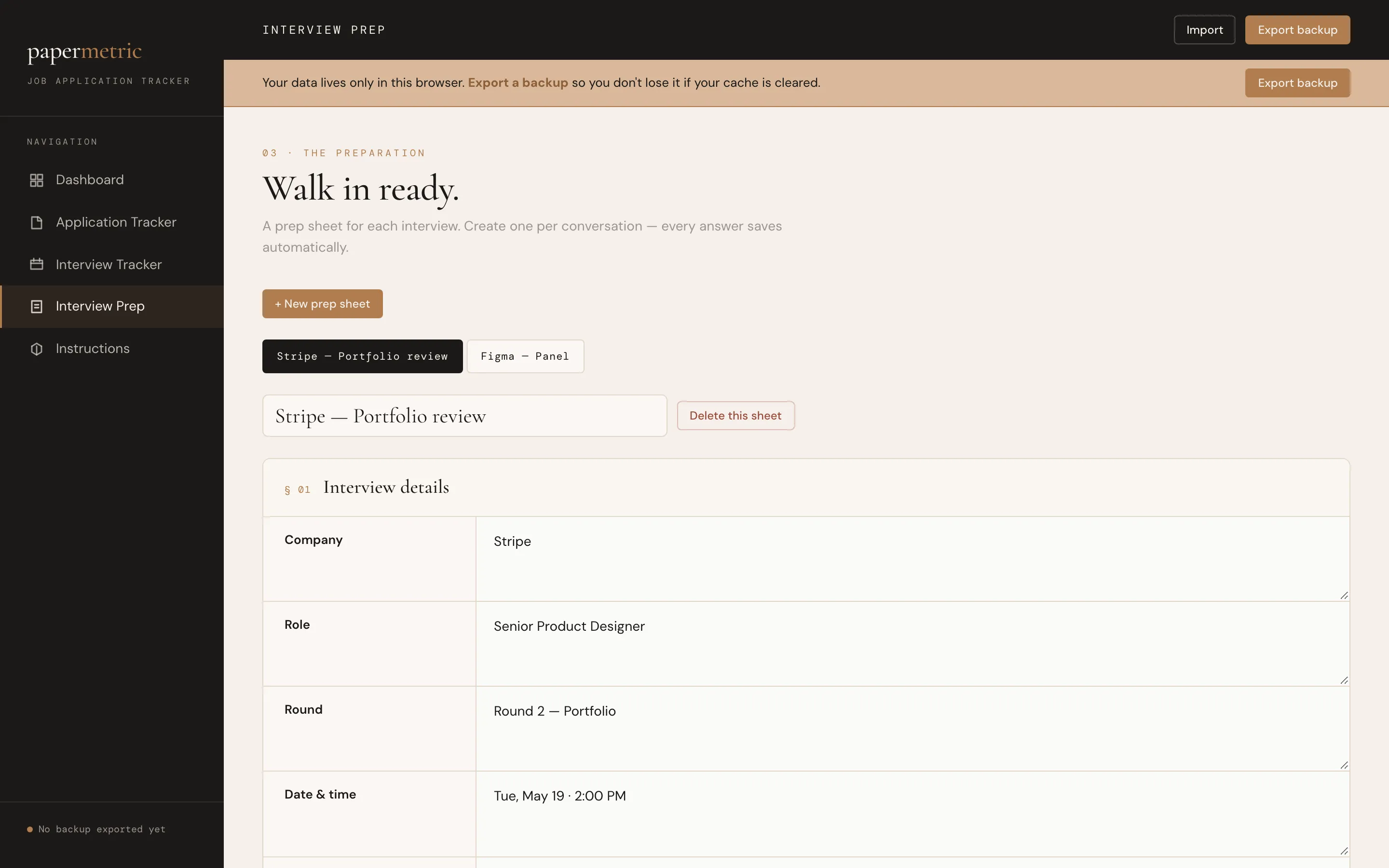
A short prep sheet for each interview keeps research, stories and questions together.
Review once a week
Set aside twenty minutes each week, at the same time if you can, to:
- Update every application’s stage.
- Send any follow-ups that are due.
- Mark roles as ghosted or closed, so they stop taking up space in your head.
- Choose the few roles you’ll focus on next week.
That last step matters. Quality usually beats volume: a few well-tailored applications tend to serve you better than dozens of rushed ones.
A calmer search: the goal of tracking isn’t to watch every number. It’s to stop carrying your whole search in your head, so you can put your energy into the applications themselves.
Putting it together
- One list for every application
- A next step with a date for each role
- Clear stages, from Saved to Offer
- Follow-ups on a schedule, not from memory
- A prep page for each interview
- A short weekly review
The Job Search Tracker sets all of this up for you, as a web app and as a spreadsheet for Excel and Google Sheets: an application tracker, an interview tracker, a prep sheet for each interview, and a dashboard that flags overdue follow-ups. If you’re also polishing your resume, the Resume Kit’s job tailoring tool helps you match each application to the job description.