Try it0 of 3 done
- Change an application’s stage
- Add an application
- See the dashboard update
That's the idea. The full app saves everything and adds interviews and prep. Get it on Etsy ↗
04 · Dashboard · Live
Your search, at a glance.
Every number here follows the Application Tracker. Change something there and come back.
§ Key metrics
Applications
0
total roles tracked
Active
0
still in the running
Interviewing
0
at interview stage
Offers
0
offers received
Rejected
0
closed, no offer
§ Pipeline breakdown
§ Needs attention
0
Overdue follow-ups
follow-ups past their due date on open applications
0
Upcoming interviews
interviews scheduled (tracked in the Interview Tracker, full app)
0
High priority, active
high-priority roles still in play
§ Today's focus
01 · The pipeline
Every role you're tracking.
One row per application. Change a stage or add a role, and the numbers keep up.
Live
- Applications
- 0
- Active
- 0
- Interviewing
- 0
- Offers
- 0
| Company | Job title | Stage | Next step | Due date | Priority | Notes | Remove |
|---|
No applications left. Add one, or reset the demo to bring back the samples.
Use made-up details. Nothing here is saved or sent anywhere.
02 · Interviews
Every interview, in one place.
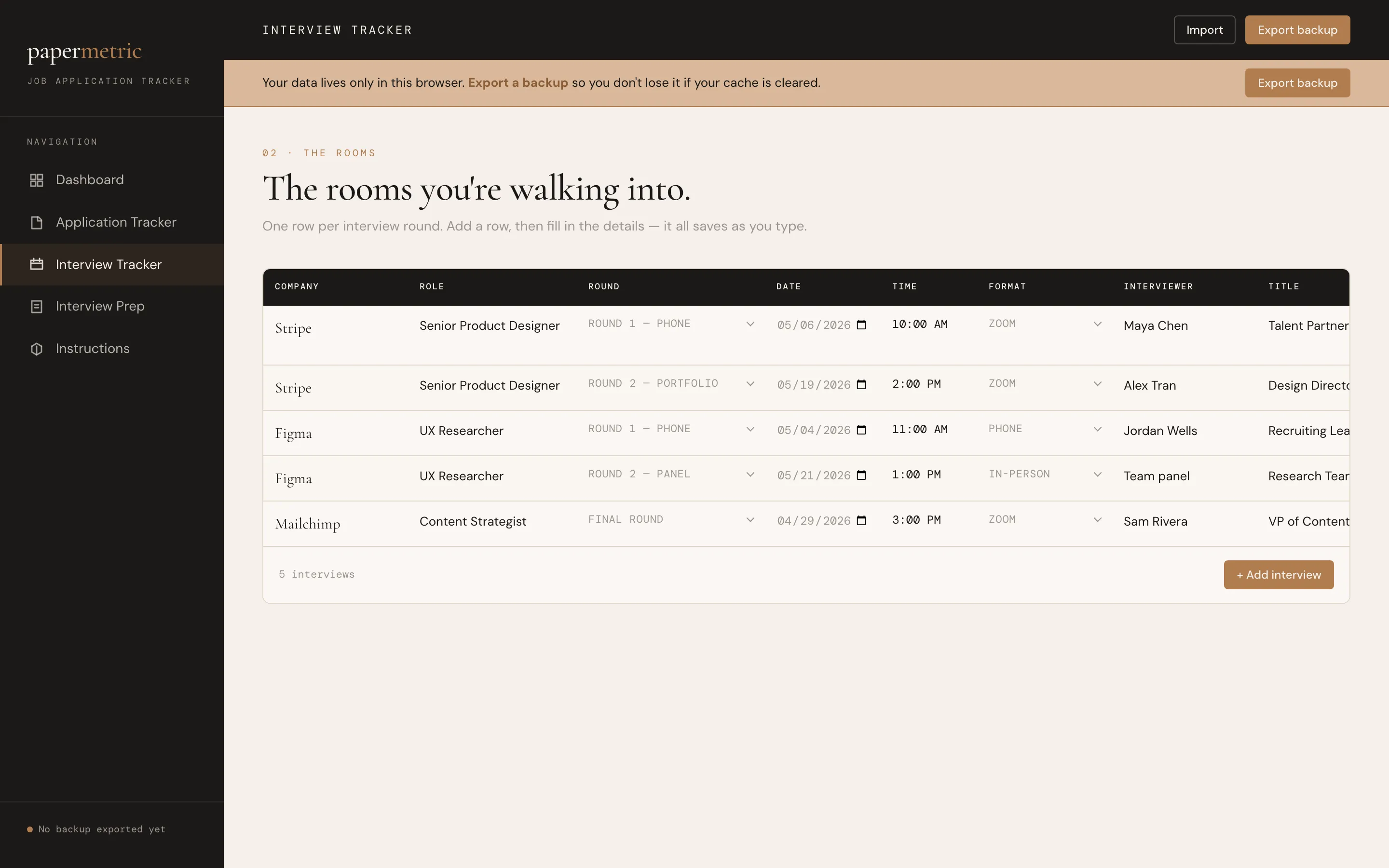
Part of the full app
This screen comes with the Job Search Tracker.
- Log every round with date, time and format
- Statuses for scheduled, completed and rescheduled
- Upcoming interviews feed the dashboard
03 · Interview prep
Walk in prepared.
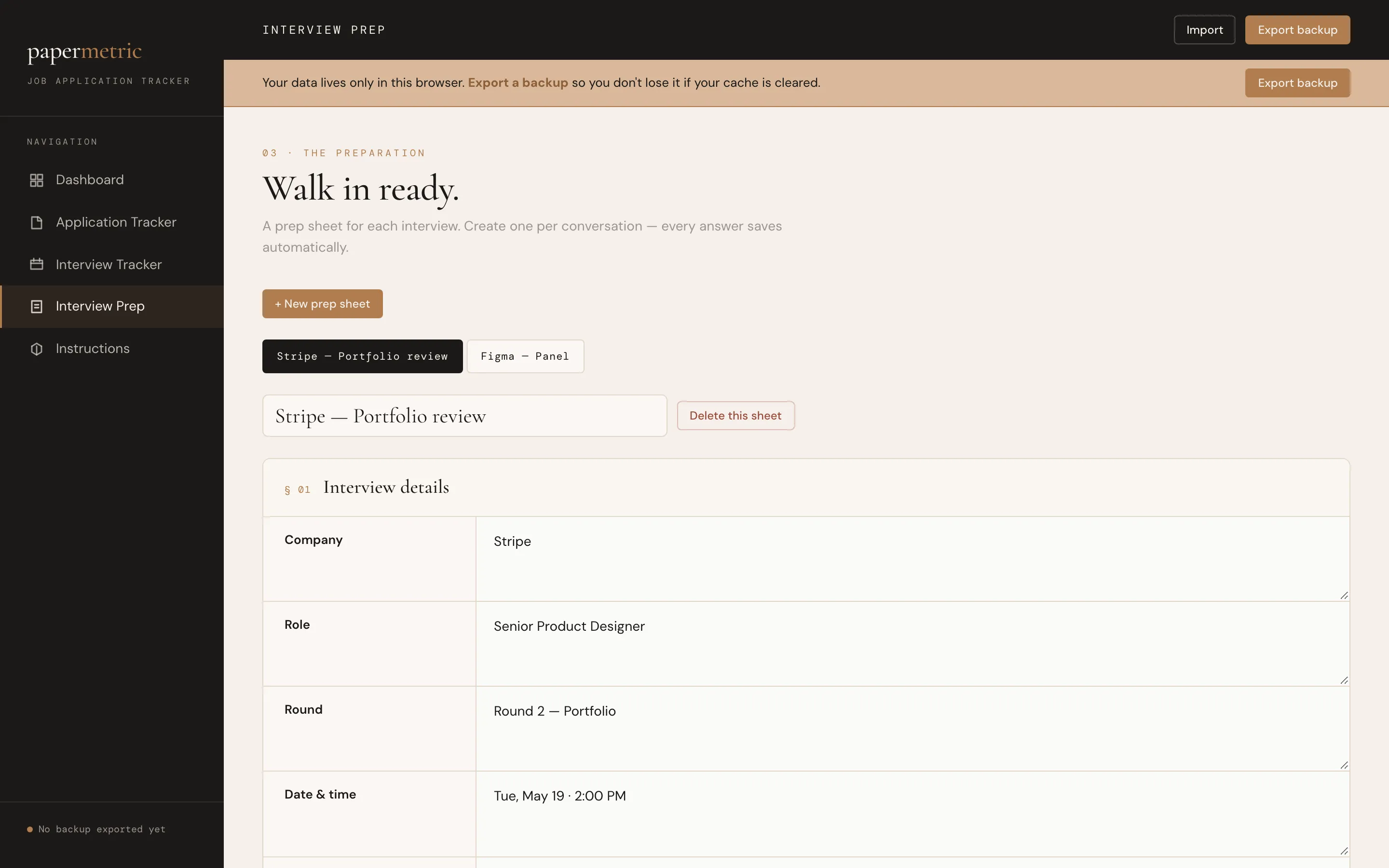
Part of the full app
This screen comes with the Job Search Tracker.
- A prep sheet for each company
- Guided prompts for research, stories and questions
- Everything saves as you type
05 · Instructions
Set up in minutes.
Part of the full app
Step-by-step instructions are built into the app.
- How to add, sort and update applications
- How backups work, so your search is never lost
- A printable PDF quick-start guide comes with it too